
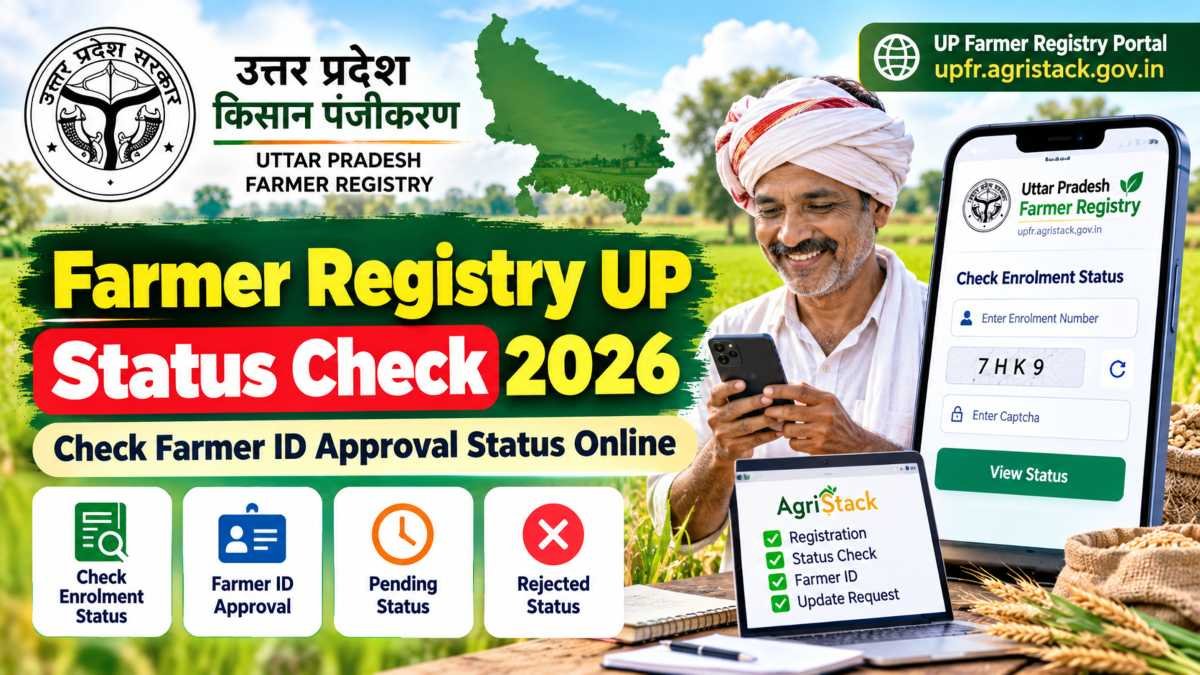
Farmers in Uttar Pradesh who have registered for a Farmer ID can check their application or enrollment status through the official Uttar Pradesh Farmer Registry portal.
The Farmer Registry is part of the government’s AgriStack initiative. It aims to create a unique digital identity for farmers and connect verified farmer information with agricultural records and services.
After submitting a registration request, a farmer may need to wait for verification before the application is approved. Checking the status helps applicants understand whether their registration has progressed or whether further action may be needed.
If you have already applied, use the official portal rather than an unofficial website asking for Aadhaar details or OTPs. Keep your enrollment information ready so you can follow the correct status-checking process.
Farmer Registry UP Status Check 2026: Quick Facts
| Particular | Details |
|---|---|
| Scheme/service | Uttar Pradesh Farmer Registry |
| Common name | UP Farmer Registry (UPFR) |
| Purpose | Farmer registration and unique Farmer ID creation |
| State | Uttar Pradesh |
| Managing platform | AgriStack |
| Status-checking method | Online through the official portal |
| Official website | upfr.agristack.gov.in |
| Enrollment status option | Check Enrolment Status |
| Official helpline | 0522-2317003 |
| Registration fee | Check the official portal for current instructions |
Note: Registration status, approval and Farmer ID generation are separate stages in the process. Follow the status displayed on the official portal.
Read Also: RMLAU Result 2026: Check BA, BSc, BCom, MA and Other Course Results
What Is UP Farmer Registry?
The UP Farmer Registry is an online system for registering farmers in Uttar Pradesh and creating a unique Farmer ID. It forms part of the wider AgriStack initiative, which seeks to build reliable digital records for the agriculture sector.
During registration, the system collects the required farmer details and connects land information with official land records where applicable. The information may need to be checked before the registration is approved.
A Farmer ID can help identify a farmer within participating agricultural services and schemes. However, having a Farmer ID does not automatically guarantee eligibility for every government scheme or subsidy. Each scheme has its own eligibility rules.
Farmers should make sure that the information submitted during registration matches their official records as closely as possible.
What Is Farmer Registry UP Status Check?
Farmer Registry UP Status Check is the process of checking the progress of a Farmer Registry enrollment request submitted through the Uttar Pradesh portal.
The status can help a farmer determine whether the application has been processed or whether it needs further attention.
For example, a farmer who has submitted an enrollment request but has not yet received confirmation can visit the official portal and look for the enrollment-status option.
The important distinction is that an enrollment number is not necessarily the same as an approved Farmer ID. Keep the enrollment details received during registration and use them to track the request as instructed by the portal.
Read Also: DU PhD Admission 2026: Eligibility, Application Form, Important Dates and How to Apply
Official Farmer Registry UP Status Check Link
Farmers should use the government-hosted Uttar Pradesh Farmer Registry website for registration and status-related services.
Official portal: https://upfr.agristack.gov.in/
The portal provides access to the Farmer Registry system and its registration instructions. The official self-mode user manual also describes the enrollment-status checking facility.
To protect your information, check the website address before entering personal details. Avoid unofficial websites or individuals who ask you to share your Aadhaar OTP, password or other confidential information.
For land-record verification, the official UP Bhulekh portal provides access to Uttar Pradesh land records, including khatauni information.
How to Check Farmer Registry UP Status Online in 2026
Follow these steps to check the status of your application.
Step 1: Visit the official UP Farmer Registry website
Open upfr.agristack.gov.in on your mobile phone or computer.
Step 2: Find the enrollment-status option
Look for Check Enrolment Status on the portal. The available menu labels or screen layout may change as the website is updated.
Step 3: Enter the requested information
Provide the enrollment number or other details requested by the official status-checking page. Follow any verification instructions displayed on the portal.
Step 4: Submit the details
Submit the information and wait for the portal to display the available status.
Step 5: Read the result carefully
Check whether your application has been approved, is awaiting verification or requires further action. Follow the instructions shown on the portal if additional verification is needed.
Step 6: Save the information
Keep your enrollment number and any confirmation details safe. If you need to contact the helpdesk or local revenue officials, these details can help them identify your application.
If the portal is temporarily unavailable, try again later or use the official user manual for guidance.
Read Also: IFM Online Application 2026/2027: IFM EMS Registration, Requirements and How to Apply
What Information Should You Keep Ready?
Before checking your UP Farmer Registry status, keep the following information available if it was provided during registration or requested by the portal:
- Enrollment number or application reference.
- Registered mobile number.
- Login credentials, if the portal requires you to sign in.
- Relevant land-record information, if a verification issue needs to be resolved.
- Registration confirmation or other reference details.
You do not need to publish or share these details with anyone to get general guidance. Enter confidential information only on the official government portal when required.
Why Is Farmer Registry UP Status Important?
Checking your registration status can help you identify whether your enrollment has progressed and whether any issue needs attention.
If an application remains pending, the farmer can follow the portal’s instructions or contact the relevant officials. If a discrepancy is reported, checking the land and identity details may help identify what needs correction.
Regularly checking official updates is more reliable than assuming that an application has been approved simply because the registration form was submitted.
Farmer Registry UP Status Check 2026: Meaning of Different Statuses
After checking your application, read the status carefully before deciding what to do next. The exact wording shown on the portal may vary depending on the stage of your registration.
| Status or situation | What it may mean | What you should do |
|---|---|---|
| Pending or under verification | The application may still be awaiting review | Check again later and follow any portal instructions |
| Approved | Your registration has been approved | Save your Farmer ID and confirmation details |
| Rejected or blocked | The application may not have passed a required check | Check the reason and contact the relevant official |
| Enrollment number received | Your application has a tracking reference | Use the official status-check option to follow its progress |
| No record found | The details entered may be incorrect, or the record may not be available | Recheck your enrollment number and state portal |
These descriptions are general guidance, not a guarantee of the exact wording or meaning of every portal status. Follow the explanation provided by the official UP Farmer Registry system.
Why Is My UP Farmer Registry Application Still Pending?
A pending application does not automatically mean that it has been rejected. The registration process may require verification of the farmer’s identity and land information.
Possible reasons for a delay include:
- Land records requiring additional verification.
- Differences between the name recorded in Aadhaar and the land record.
- Missing or incorrect information in the submitted application.
- An application awaiting review by the relevant revenue official.
- Temporary technical issues with the online portal.
First, check your application status again. If the portal identifies a specific problem, follow the instructions shown there. If the application remains pending and you cannot identify the reason, contact the official helpdesk or the relevant local revenue office.
Read Also: BBMKU Admit Card 2026: Download Hall Ticket, Exam Date & Details
UP Farmer Registry Rejected or Blocked: What Should You Do?
If your application is rejected or blocked, do not immediately submit another application without understanding the problem.
The official UP Farmer Registry user manual explains that the system compares the farmer’s name in Aadhaar with the name in the land records. The resulting name-match score affects how the application is processed.
According to the manual:
- Score of 80 or above: The application is approved automatically by the system.
- Score from 16 to 79: The application is sent to the Lekhpal for approval.
- Score of 15 or below: The application is automatically blocked and not permitted under this process.
These thresholds relate to the name-matching procedure described in the UP manual. They should not be treated as a general explanation for every possible application error.
If your application is blocked because the land record does not match your identity details, check the relevant records and ask the appropriate revenue official how to correct the discrepancy.
If the land is still recorded in a previous owner’s name, you may need to resolve the land-record or mutation issue before proceeding.
How to Resolve Farmer Registry UP Land Record Problems
Accurate land information is important during Farmer Registry enrollment. If your land details are missing or incorrect, follow these steps.
Step 1: Check your land record
Visit the official UP Bhulekh portal and review the relevant land-record information.
Step 2: Compare the details
Check the recorded owner’s name and relevant land particulars against the information used during registration.
Step 3: Contact the appropriate revenue office
If the record contains an error or the ownership information is outdated, contact the relevant Lekhpal or tehsil office for guidance on the applicable correction process.
Step 4: Follow the official correction procedure
Complete any required land-record correction or mutation procedure before attempting to resolve a Farmer Registry issue that depends on the corrected information.
Do not claim land belonging to someone else simply to complete registration. Submit accurate information and follow the official process for ownership-related cases.
Can You Add Missing Land After Farmer ID Approval?
Yes. The UP Farmer Registry user manual describes an Update Farmer Request (UFR) process that allows farmers to add land parcels that were missed during initial registration.
However, the manual specifically states that UFR can be used only after the Farmer ID has been approved.
If you already have an approved Farmer ID but omitted an eligible land parcel, sign in to the official portal and follow the applicable update instructions. Check the portal’s current requirements before submitting any changes.
Official portal: UP Farmer Registry.
Farmer Registry UP Helpline Number
If you cannot check your status or need clarification about an application, contact the official Uttar Pradesh Farmer Registry helpdesk.
Helpline number: 0522-2317003
The number is listed on the official UP Farmer Registry website and in its user manual.
When contacting support, keep your enrollment reference and relevant application information ready. Explain the problem clearly and follow the instructions provided by the helpdesk or the appropriate local official.
Never share your Aadhaar OTP, password or other confidential authentication details with an unknown caller or unofficial agent.
Frequently Asked Questions (FAQs)
1. How can I check Farmer Registry UP Status 2026?
Visit the official UP Farmer Registry portal and select the “Check Enrolment Status” option. Enter the details requested by the portal and follow its instructions.
2. What is the official UP Farmer Registry website?
The official website is https://upfr.agristack.gov.in/. Always verify the website address before entering personal information.
3. What should I do if my Farmer Registry application is pending?
Check whether the portal provides further instructions. If verification is still in progress, allow time for processing. If the status remains unchanged or the portal identifies an issue, contact the helpdesk or relevant revenue official.
4. Why is my UP Farmer Registry application blocked?
One possible reason is a low name-match score between Aadhaar and the land record. Check the reason displayed by the system and contact the appropriate official for guidance.
5. What is the UP Farmer Registry helpline number?
The official portal lists 0522-2317003 as its helpline number.
6. Can I add land after my Farmer ID has been approved?
The official UP manual describes an Update Farmer Request process for adding land parcels missed during initial registration. It can be used after the Farmer ID is approved, subject to the portal’s instructions.
7. Does having a Farmer ID guarantee government scheme benefits?
No. A Farmer ID does not automatically guarantee eligibility for every scheme. Each government programme has its own eligibility requirements and verification process.
Conclusion
The Farmer Registry UP Status Check 2026 process helps farmers follow the progress of their registration through the official Uttar Pradesh portal.
If your application is pending, check the latest status and follow the instructions provided. If it is blocked because of a land-record or name mismatch, seek clarification from the relevant revenue official before making corrections.
Use the official UP Farmer Registry website, keep your enrollment details safe and avoid sharing confidential information with unofficial websites or agents.
Official links:
